
FOUSim is a downloadable Windows-based application. It is an advanced real-time simulation platform built for the active trader. With easy-to-use customizable screens, integrated trading tools, and personalized support, FOUSim gives you the tools and services you need to take advantage of today’s markets.
-
Downloading and Installing the Software:
To download the latest version of FOUSim go to http://fous.ly/FOUSim
Select save file and download
Double click installation file and install software
Follow the on screen instructions on the install
Once installed, you will see a shortcut icon for the software on your desktop
-
Logging into the software:
Double-click the FOUSim icon on your desktop
A login screen will appear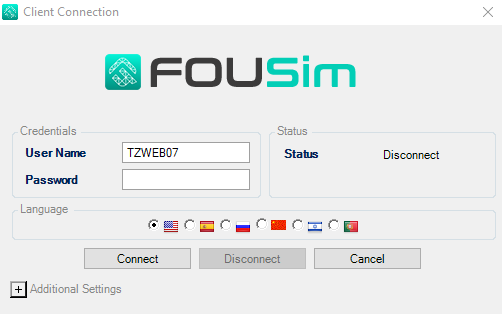
Enter your username and password only.
There are three options offered on the connection window:
Free Floating Windows – If checked, this will allow the traders’ layout to not be
encapsulated in a containing window. The layout is not contained in a master windowLayout Saving Confirm – If checked, the user will be prompted to save their layout upon
closing or exiting.Save Password – If checked, the user will not have to type in the password every time
they connect
Main window and default layout:
When you first log on to FOUSin, the main window appears, displaying your default layout
The Toolbars offer quick access to the options and tools for FOUSimOnce you have your desired layout set. Save your layout by clicking on the FOUSim icon. Users have the ability to set-up and save multiple layouts